The Complete Guide to SEO: From Zero to Ranking #1 on Google
January 13, 2026
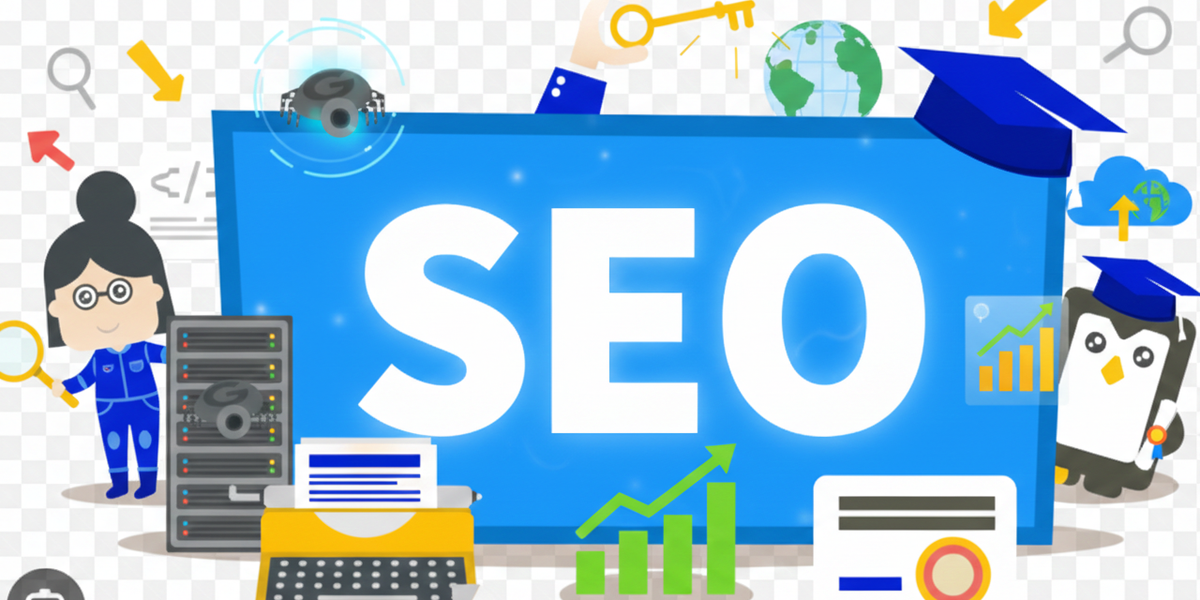
Search Engine Optimization (SEO) is the practice of optimizing your website to rank higher in search engine results pages (SERPs). Whether you're a business owner, blogger, or developer, understanding SEO is essential for driving organic traffic to your website.
In this comprehensive guide, you'll learn everything from the basics of how search engines work to advanced techniques like structured data implementation. By the end, you'll have the knowledge to improve your website's visibility and attract more visitors without spending on ads.
Let's dive in.
Part 1: Understanding SEO Fundamentals
How Search Engines Work
Before optimizing for search engines, it's crucial to understand how they function. Search engines like Google use a three-step process to deliver results:
1. Crawling
Search engines deploy automated programs called "crawlers" or "spiders" that scan the internet, following links from page to page. When a crawler visits your website, it reads the content, follows internal and external links, and collects information about each page.
2. Indexing
After crawling, search engines store and organize the content in a massive database called an "index." Think of this as a giant library where every webpage is catalogued. If your page isn't indexed, it cannot appear in search results.
3. Ranking
When someone performs a search, the search engine's algorithm analyzes its index to deliver the most relevant results. Hundreds of factors influence rankings, including content quality, page speed, backlinks, and user experience.
The Three Pillars of SEO
SEO can be divided into three main categories:
Technical SEO focuses on the infrastructure of your website. This includes site speed, mobile-friendliness, secure connections (HTTPS), and how easily search engines can crawl and index your pages.
On-Page SEO involves optimizing individual pages for specific keywords. This includes content quality, heading structure, meta tags, internal linking, and image optimization.
Off-Page SEO refers to actions taken outside your website to improve rankings. The primary focus is building high-quality backlinks from other reputable websites, along with social signals and brand mentions.
Understanding Search Intent
Search intent is the reason behind a user's search query. Google prioritizes content that matches what users are actually looking for. There are four main types of search intent:
Informational: The user wants to learn something. Example: "What is SEO?"
Navigational: The user wants to find a specific website. Example: "Facebook login"
Transactional: The user wants to make a purchase. Example: "Buy running shoes online"
Commercial Investigation: The user is researching before making a decision. Example: "Best laptops 2024"
Understanding search intent helps you create content that satisfies user needs, which is fundamental to ranking well.
Part 2: Technical SEO (The Developer’s Edge)
Technical SEO ensures that search engines can efficiently crawl, index, and render your website. Even the best content won't rank if search engines can't access it properly.
Site Structure and URL Optimization
A well-organized site structure helps both users and search engines navigate your content. Follow these best practices:
Use descriptive URLs: Keep URLs short, readable, and keyword-rich.
Good: https://example.com/blog/seo-guide ✅
Bad: https://example.com/blog/post?id=12345&cat=7 ❎
Maintain a logical hierarchy: Organize content in categories and subcategories. Users should be able to reach any page within three clicks from the homepage.
Use hyphens to separate words: Search engines read hyphens as spaces between words.
Good: seo-best-practices ✅
Bad: seo_best_practices or seobestpractices ❎
Meta Tags
Meta tags provide information about your page to search engines. The two most important are:
Title Tag: This appears as the clickable headline in search results. Keep it under 60 characters and include your primary keyword near the beginning.
<head><title>Complete SEO Guide for Beginners | YourSite</title></head>
Meta Description: This is the snippet that appears below the title in search results. While not a direct ranking factor, a compelling description improves click-through rates. Keep it under 160 characters.
<head><meta name="description" content="Learn SEO from scratch with this comprehensive guide. Master technical SEO, on-page optimization, and link building strategies."></head>
Robots.txt and Sitemap
Robots.txt is a file that tells search engine crawlers which pages they can or cannot access. Place it in your root directory.
User-agent: *
Allow: /
Disallow: /admin/
Disallow: /private/Sitemap: https://yoursite.com/sitemap.xml
XML Sitemap is a file that lists all the important pages on your website, helping search engines discover and index your content.
<?xml version="1.0" encoding="UTF-8"?><urlset xmlns="http://www.sitemaps.org/schemas/sitemap/0.9"><url><loc>https://yoursite.com/</loc><lastmod>2024-01-15</lastmod><priority>1.0</priority></url><url><loc>https://yoursite.com/blog/seo-guide</loc><lastmod>2024-01-10</lastmod><priority>0.8</priority></url></urlset>
Page Speed and Core Web Vitals
Page speed is a confirmed ranking factor. Google's Core Web Vitals measure three key aspects of user experience:
Largest Contentful Paint (LCP): Measures loading performance. Aim for LCP within 2.5 seconds.
Interaction to Next Paint(INP): Measures interactivity. Aim for INP under 200 milliseconds.
Cumulative Layout Shift (CLS): Measures visual stability. Aim for CLS under 0.1.
To improve page speed:
- Compress images using modern formats like WebP
- Minify CSS, JavaScript, and HTML
- Enable browser caching
- Use a Content Delivery Network (CDN)
- Reduce server response time
Mobile-Friendliness
Google uses mobile-first indexing, meaning it primarily uses the mobile version of your site for ranking. Ensure your website is responsive and provides a seamless experience on all devices.
<head><meta name="viewport" content="width=device-width, initial-scale=1.0"></head>Beyond Meta Tags: Rendering & Indexing
For developers, the biggest challenge is often Client-Side Rendering (CSR) vs. Server-Side Rendering (SSR).
- The Problem: If you use a basic React or Vue setup, search engine crawlers might see a blank page before your JavaScript executes.
- The Solution: I recommend using frameworks like Next.js or Nuxt.js to implement SSR or Static Site Generation (SSG). This ensures the crawler receives a fully rendered HTML document immediately.
Advanced URL Architecture & Canonicalization
Avoid "Duplicate Content" penalties by using canonical tags. This tells Google which version of a URL is the "master" copy.
<link rel="canonical" href="https://yourportfolio.com/blog/seo-guide" />Core Web Vitals & Performance Engineering
In 2026, Google’s focus is on INP (Interaction to Next Paint). This measures how quickly a page responds when a user clicks a button or types.
How I optimize for these metrics:
- Image Optimization: Don't just compress; use the <picture> element to serve different sizes based on the user's screen.
- Code Splitting: Only ship the JavaScript the user needs for the current page.
- CSS Containment: Use content-visibility: auto; to skip rendering off-screen elements, improving your LCP.
The "Dev Pro-Tip" Sidebar
💡 Pro-Tip for React/Next.js Devs: > Don't forget the robots metadata in your layout files. You can programmatically prevent "Thank You" pages or Admin Dashboards from being indexed:
export const metadata = { robots: { index: false, follow: true, nocache: true, },}
Part 3: On-Page SEO
On-page SEO involves optimizing the content and HTML source code of individual pages to rank for target keywords.
Keyword Research Basics
Keywords are the terms people type into search engines. Effective keyword research involves:
Finding relevant keywords: Use tools like Google Keyword Planner, Ubersuggest, or Ahrefs to discover what your audience is searching for.
Analyzing search volume: Higher search volume means more potential traffic, but also more competition.
Assessing keyword difficulty: Newer websites should target long-tail keywords (longer, more specific phrases) with lower competition.
Understanding user intent: Ensure your content matches what searchers want to find.
For example, instead of targeting "SEO" (highly competitive), a new blog might target "SEO tips for small business websites" (long-tail, lower competition).
Content Optimization
Quality content is the foundation of SEO. Follow these guidelines:
Write for humans first: While keywords matter, your primary goal is providing value to readers. Google's algorithms are sophisticated enough to understand context.
Include your target keyword naturally: Place it in the title, first paragraph, and throughout the content where it fits naturally. Avoid keyword stuffing.
Create comprehensive content: Cover topics thoroughly. Longer content (1,500+ words) tends to rank better because it provides more value.
Update content regularly: Fresh content signals to search engines that your site is active and relevant.
Heading Hierarchy
Headings help structure your content for both readers and search engines. Use a logical hierarchy:
<h1>Main Title (One per page)</h1><h2>Major Section</h2><h3>Subsection</h3><h3>Subsection</h3><h2>Another Major Section</h2><h3>Subsection</h3>
H1: Use only one per page. It should contain your primary keyword.
H2-H6: Use these for subheadings. Include secondary keywords where appropriate.
Image Optimization
Images enhance user experience but can slow down your site if not optimized:
Use descriptive file names: Instead of "IMG_1234.jpg", use "seo-guide-infographic.jpg".
Add alt text: Alt text describes images to search engines and assists visually impaired users.
<img src="seo-workflow.png" alt="Diagram showing the SEO workflow from keyword research to ranking">
Compress images: Reduce file size without sacrificing quality.
Specify dimensions: Prevent layout shifts by declaring width and height.
<img src="image.jpg" alt="Description" width="800" height="600">
Internal Linking Strategy
Internal links connect pages within your website, helping search engines understand site structure and distributing page authority:
- Link to relevant content using descriptive anchor text
- Ensure important pages receive more internal links
- Create topic clusters: a pillar page linked to multiple related articles
- Fix broken internal links regularly
Part 4: Structured Data and Rich Snippets
Structured data helps search engines understand your content better and can result in enhanced search results called "rich snippets."
What is Schema.org Markup?
Schema.org is a collaborative vocabulary that webmasters can use to mark up their pages. This markup helps search engines understand the context of your content, enabling features like star ratings, FAQ dropdowns, and event details in search results.
JSON-LD Implementation
JSON-LD (JavaScript Object Notation for Linked Data) is Google's recommended format for structured data. It's placed in a script tag within your HTML.
Article Schema (for blog posts):
<script type="application/ld+json">{"@context": "https://schema.org","@type": "Article","headline": "The Complete Guide to SEO","author": {"@type": "Person","name": "Your Name"},"datePublished": "2024-01-15","dateModified": "2024-01-15","image": "https://yoursite.com/images/seo-guide.jpg","publisher": {"@type": "Organization","name": "Your Site Name","logo": {"@type": "ImageObject","url": "https://yoursite.com/logo.png"}}}</script>
Person Schema (for personal websites):
<script type="application/ld+json">{"@context": "https://schema.org","@type": "Person","name": "Your Name","url": "https://yoursite.com","jobTitle": "Web Developer","sameAs": ["https://github.com/yourusername","https://linkedin.com/in/yourprofile"]}</script>
FAQ Schema (for FAQ sections):
<script type="application/ld+json">{"@context": "https://schema.org","@type": "FAQPage","mainEntity": [{"@type": "Question","name": "What is SEO?","acceptedAnswer": {"@type": "Answer","text": "SEO stands for Search Engine Optimization. It's the practice of optimizing websites to rank higher in search engine results."}},{"@type": "Question","name": "How long does SEO take to work?","acceptedAnswer": {"@type": "Answer","text": "SEO typically takes 3-6 months to show significant results, depending on competition and the quality of optimization."}}]}</script>
You can validate your structured data using Google's Rich Results Test at https://search.google.com/test/rich-results.
Part 5: Off-Page SEO
Off-page SEO focuses on actions taken outside your website to improve rankings. The primary factor is backlinks—links from other websites pointing to yours.
Backlink Building Strategies
Backlinks act as votes of confidence. When reputable websites link to your content, search engines view your site as more authoritative.
Create link-worthy content: The best way to earn backlinks is by creating valuable content that others want to reference. This includes original research, comprehensive guides, infographics, and tools.
Guest posting: Write articles for other websites in your industry. Include a link back to your site in your author bio or within the content where relevant.
Broken link building: Find broken links on other websites and suggest your content as a replacement. Tools like Ahrefs or Check My Links can help identify broken links.
Resource page outreach: Many websites maintain resource pages listing helpful links. Reach out to webmasters with your relevant content.
Build relationships: Engage with others in your industry through social media, comments, and collaborations. Genuine relationships often lead to natural backlinks.
Quality Over Quantity
Not all backlinks are equal. Focus on:
Relevance: Links from websites in your industry carry more weight.
Authority: Links from high-authority sites (like major publications) are more valuable.
Diversity: A natural backlink profile includes links from various sources.
Anchor text: The clickable text of a link should be varied and natural.
Avoid purchasing links or participating in link schemes, as these can result in Google penalties.
Social Signals and Brand Mentions
While social media links typically don't directly impact rankings, social presence helps in several ways:
- Increased content visibility leads to more potential backlinks
- Social profiles often rank for brand searches
- Engagement signals build brand authority
Brand mentions (even without links) can also contribute to your site's perceived authority. Google's algorithms are sophisticated enough to associate mentions with your brand.
Part 6: Measuring Success
SEO is an ongoing process. Measuring your efforts helps you understand what's working and where to improve.
Google Search Console Setup
Google Search Console is a free tool that shows how Google views your site. Here's how to set it up:
1. Go to https://search.google.com/search-console
2. Add your website property
3. Verify ownership through DNS, HTML file, or meta tag
4. Submit your sitemap
5. Monitor the dashboard regularly
Key Metrics to Track
Organic traffic: The number of visitors coming from search engines. Monitor this in Google Analytics.
Keyword rankings: Track where your pages rank for target keywords over time.
Click-through rate (CTR): The percentage of people who click your result after seeing it in search. Found in Search Console.
Impressions: How often your pages appear in search results.
Backlink growth: Monitor new and lost backlinks using tools like Ahrefs or Moz.
Core Web Vitals: Track performance metrics in Search Console or PageSpeed Insights.
Common SEO Mistakes to Avoid
Ignoring mobile users: With mobile-first indexing, poor mobile experience directly impacts rankings.
Keyword stuffing: Overusing keywords makes content unreadable and can trigger penalties.
Duplicate content: Identical or very similar content across multiple pages confuses search engines.
Neglecting technical issues: Broken links, slow pages, and crawl errors harm your SEO efforts.
Expecting instant results: SEO is a long-term strategy. Significant results typically take 3-6 months.
Forgetting about user experience: Search engines prioritize sites that users find valuable and easy to use.
Conclusion
SEO is not a one-time task but an ongoing commitment to improving your website's visibility in search results. To recap the key takeaways:
1. Understand how search engines work: Crawling, indexing, and ranking form the foundation of SEO knowledge.
2. Build a solid technical foundation: Ensure your site is fast, mobile-friendly, and easily crawlable.
3. Create valuable content: Write for your audience first, optimizing for keywords naturally.
4. Implement structured data: Help search engines understand your content and earn rich snippets.
5. Build quality backlinks: Focus on earning links from relevant, authoritative sources.
6. Measure and iterate: Use data to refine your strategy continuously.
Start by auditing your current website using the principles in this guide. Identify quick wins—like optimizing title tags and meta descriptions—then work on longer-term improvements like content creation and link building.
Remember, SEO success comes to those who consistently provide value to their audience while following best practices. The results are worth the effort: sustainable, organic traffic that grows over time without ongoing advertising costs.
Now it's your turn. Pick one section from this guide and implement it today. Your future rankings will thank you.